Tag: web dev

  • The New Blogger.com Is Live and Out of Beta

    The new Blogger service is coming out of beta as I’m writing this (2006-12-19, between 8:30 and 8:45 PM EST), and you’ll notice that everything that was going to beta.blogger.com before is now being handled by www2.blogger.com. This post is actually being served by the new Blogger environment.

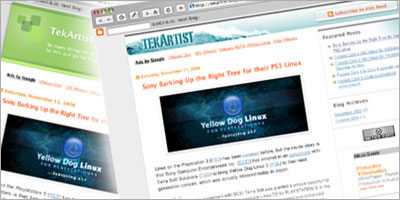
    Here are screenshots of what we were faced with for a few minutes.


    All seems to now be back online, since I can post this, and you can read it. ๐Ÿ™‚
    A bit sluggish right now (still caching?), but back and kicking nonetheless.

    The reason I found out was that I was writing another post when I noticed a most likely AJAX activated box, under the editing area, that was warning me that the app could not connect to the db for saving. Advanced warning? Very nice feature in and of itself, if true, since I don’t remember clicking the save or publish buttons. Would be interesting to implement if not. Might have been the live preview though, but I didn’t think the view switch required a remote connection. Might be iframe-based. Argh, now I’m curious and I’ve got to look into this… ๐Ÿ˜‰

    So big thanks, congratulations, and keep up the great work Blogger devs!

    Considering the service was down for the public for what I estimate to be around 15 minutes, that was one smooth upgrade, especially considering the scale. I deal with systems that have thousands of concurrent signed-in sessions, and I know what that means, so I can only imagine what they are facing…

    Now this puts a whole new spin on a previous post I wrote just a few days ago. The subject might just become a lot more interesting to a lot more people who now have to switch their accounts and blogs to the new platform. See Integrating the Digg Box in your Blogger Beta Posts.

    Update: 2006-12-19 ~ 9:10 PM:

    It’s confirmed. From the Blogger homepage: We’re out of beta and ready to go.

    Also, note the new no beta logo, once logged in:

    This post, as it turns out, is truly an homage to what Blogger is all about to me: a publishing tool for life, as it happens, in real time.

    Update: 2006-12-20 ~ 8:15 AM:

    Wow, the speed improvements are considerable! ๐Ÿ™‚

  • Hello to Fairbanks, AK

    Well Google Analytics tells me that my most returning visitor(s) seem(s) to be either physically located or connecting from/through Fairbanks, Alaska.


    We’ve been running the Urchin log analysis software at work long before their Google takeover, but the integration potential with the search giant are truly endless. I, for one, sure am having a lot of fun playing with all the cool stats they’re providing site owners with.

    But in the meantime, if there’s any truth to those stats, hello to you in Fairbanks, and thanks for reading. If nothing else, we’re also almost sharing a climate. ๐Ÿ˜‰

  • New Digg Features Released, Fresh from the Oven

    See Kevin Rose’s blog post for full details and a demo screencast.

    Big update today. Tons of new features to share with you โ€“ many inspired by feedback youโ€™ve given us over the last few months (thanks!). Check out this video for a quick overview, or read below for more details.

  • Integrating the Digg Box in your Blogger Posts

    Update: 2007-07-26: Updated formatting after import from Blogger.com.

    Update: 2007-02-06: I have posted another how-to to showcase the easiest way to integrate with the newly upgraded Digg tools. On the other end, the following content has also been updated with the new tools’ URLs and illustrates another take on integration allowing for more flexibility for content publishers.

    Update: 2006-12-19: the new Blogger is out of beta. ๐Ÿ™‚ The template hack below is now more valid than ever.

    I’ve been wanting to embed the iconic Digg Story Button in my pages, but unfortunately, the API requires Javascript and tekArtist is currently (2006-12-17) running on the (update: now out of) beta of the Blogger service, which does not allow the <script> tag to be used in blog posts.

    Another challenge is that the API expects you to set a variable holding the reference URL on digg.com (urlOfStory above). This means that I also somehow needed to store this URL for each of my dugg posts for the tool to work. Again, easy enough if I could use JS in my blog posts, but not so since I can’t here.

    In most contexts, the Digg code is fairly simple to embed:

    <script>
      digg_url = 'urlOfStory';
    </script>
    <script src="http://digg.com/tools/diggthis.js"></script>

    One thing I did find was a way to add Del.icio.us and Digg hotlinks to your Blogger Beta posts by editing your template, and using widget tags for layout. Javascript is allowed at the template level in Blogger, but since you only have one such template (for the index, posts, listings, etc), flexibility is provided through their custom template markup, which will be important in this context.

    I was still short of a place to store the Digg URL at the post level when I remembered that Blogger will let you activate a link field in your blog posts, for people who mainly point to other sites through their post’s title (coincidentally, like Digg does too). I primarily use my blog to write original content, so I link my titles to each post’s permalink, which let’s me use that data field to store, say, a Digg URL. ๐Ÿ™‚

    The requirements are met: Javascript support, and a convenient way to store and manage the stories URL on Digg.

    Now, will this hack actually work for you?

    Are you using Blogger Beta? (update: now out of beta, hack more valid than ever)
    If you’re not using Blogger, this article will only satisfy your curiousity. If you’re using Blogger and haven’t converted you blog to the beta version yet, better hurry because you will have to soon.

    Is your blog set to save post pages?

    This is actually more of a Digg (and other social sites) requirement, since we need different URLs to submit. To verify this in the new Blogger, go to your Blogger Dashboard ยป Settings ยป Archiving ยป Enable Post Pages? Be sure to select yes.

    Are you pointing to external URLs through your post titles?

    To verify, go to your Blogger Dashboard ยป New Post. If you see and use a Link text field under the Title field, then this hack might not be for you, since we use the field to store the Digg data. If the feature is off, and you want to use this trick, go to your Blogger Dashboard ยป Settings ยป Formatting ยป Show Link Field. Be sure to select yes.

    Are you comfortable editing the raw XML of your Blogger template?
    Enough said. If you’re still reading at this point, I’ll just assume you are.

    Are you willing to showcase the fact that you’re not Digg-worthy?
    ๐Ÿ˜‰ If you’re not into showing how some your posts aren’t getting dugg enough (see above?), delete the URL from the Link field, and the box will forever disappear in the swarm’s abyss. ๐Ÿ™‚

    And now finally, on to the code! Go to your Blogger Dashboard ยป Layout ยป Edit HTML. Be sure to check the Expand Widget Templates checkbox.

    First locate the following markup:

    <h3 class='post-title'>

    Remove the code around it involving data:post.link:

    <b:if cond='data:post.link'>...

    This ensure we do not have a conflict with the default template behaviour for the link data. Namely, to use the link, when set, instead of permalink as post titles destination (see update below for more details).

    Then locate the following markup:

    <p><data:post.body/></p>

    And replace it with:

    <p>
      <b:if cond='data:post.link'>
        <span style="margin: 0px 10px 0px 0px; float: left;">
          <script>
            digg_url = '<data:post.link/>';
          </script>
          <script src="http://digg.com/tools/diggthis.js"> </script>
        </span>
        <data:post.body/>
      <b:else/>
        <data:post.body/>
      </b:if>
    </p>

    Voilร !

    In short: if a link (Digg URL) is set for this post, set the digg_url to the latter and call the Digg API Javascript, with a left floating span so your content wraps neatly around the generated iframe. Else, just show show the post.

    For extra Karma, here is also the code for the Add to bar I have at the end of each post. The Digg button will disappear if your are using the above trick, so people do not try to resubmit the post more than once (and since they can Digg it using the box).

    Locate the following markup:

    <p class='post-footer-line post-footer-line-3'/>

    After it, add the following:

    <p class='post-footer-line post-footer-addtolinks'>
      Add to:
      <b:if cond='data:post.link == ""'>
        <a expr:href='"http://digg.com/submit?phase=2&amp;url=" + data:post.url + "&amp;title=" + data:post.title' target='_blank' title='Add to Digg'><img align='absmiddle' alt='Digg. ' border='0' height='16' hspace='0' src='http://img2.imagepile.net/images/ycc2106/61822091.png' style='border:none;' vspace='0' width='16'/></a>
      </b:if>
      <a expr:href='" http://www.netscape.com/submit/?U=" + data:post.url + "&amp;T=" + data:post.title' target='_blank' title='Add to Netscape'><img align='absmiddle' alt='Netscape. ' border='0' height='16' hspace='0' src='http://img2.imagepile.net/images/ycc2106/subfolders/icons//99985netscape.png' style='border:none;' vspace='0' width='16'/></a>
      <a expr:href='" http://www.google.com/bookmarks/mark?op=edit&amp;output=popup&amp;bkmk=" + data:post.url + "&amp;title=" + data:post.title' target='_blank' title='Add to Google Bookmarks'><img align='absmiddle' alt='Google Bookmarks. ' border='0' height='16' hspace='0' src='http://img2.imagepile.net/images/ycc2106/35814433.png' style='border:none;' vspace='0' width='16'/></a>
      <a expr:href='"http://del.icio.us/post?url=" + data:post.url + "&amp;title=" + data:post.title' target='_blank' title='Add to Del.icio.us'><img align='absmiddle' alt='Del.icio.us. ' border='0' height='16' hspace='0' src='http://img2.imagepile.net/images/ycc2106/65682475.png' style='border:none;' vspace='0' width='16'/></a>
      <a expr:href='"http://reddit.com/submit?url=" + data:post.url + "&amp;title=" + data:post.title' target='_blank' title='Add to Reddit'><img align='absmiddle' alt='Reddit. ' border='0' height='18' hspace='0' src='http://img2.imagepile.net/images/ycc2106/16304077.gif' style='border:none;' vspace='0' width='18'/></a>
    </p>

    I’ll still keep an eye out for other implementations, but as of now, I’m quite satisfied with the way I found. Hoping it might help others out there.

    Now if only I could write diggable content… ;p

    Update: 2007-01-18:

    People have been asking for more details about the <h3> manipulation for post titles. I had kept the above explanation very generic, because the code I had to change in the template I started from (Tic-Tac) might not be the same than in other templates, but I’ll be more specific below.

    The code I originally had to generate the post titles was:

    <b:if cond='data:post.title'>
      <h3 class='post-title'>
        <b:if cond='data:post.link'>
          <a expr:href='data:post.link'><data:post.title/></a>
        <b:else/>
          <b:if cond='data:post.url'>
            <a expr:href='data:post.url'><data:post.title/></a>
          <b:else/>
            <data:post.title/>
          </b:if>
        </b:if>
      </h3>
    </b:if>

    Which I replaced with:

    <b:if cond='data:post.title'>
      <h3 class='post-title'>
        <b:if cond='data:post.url'>
          <a expr:href='data:post.url'><data:post.title/></a>
        <b:else/>
          <data:post.title/>
        </b:if>
      </h3>
    </b:if>
  • Lightweight Feed Reader for Web-Enabled Devices

    screenshotUpdate: 2007-06-02: An upgraded version is now available.

    If like me you commute to and from work by public transit, you might also enjoy spending some of that time catching up with the latest news. Newspapers still seem popular, but they aren’t the most up-to-date and are quite impractical in a crowd. TV phones and podcasts are very neat, but they all imply audio or video and are therefore not always the easiest way to scan through the info, at least in my opinion.

    For quite some time now, what I found really fits my needs best is a simple web-based RSS/Atom feed reader that I can access from my mobile phone’s browser. So I wrote one, of course. Or more accurately, I recently rewrote my old one using the SimpleXML feature built in PHP 5+.

    The 12 requirements I set myself were:

    • K.I.S.S.: viewing tool is likely to be a small screen device, screen reader, etc.
    • Use only PHP, XML, XHTML and CSS (no DB, Javascript […] this time).
    • Typing-free user interface, selection-only user input.
    • Output standard XHTML for maximum accessibility and portability.
    • Have stylesheets for different viewing environment (handheld, screen, etc).
    • Use local caching for the remote feeds, with a 30 minutes refresh interval.
    • Clean and limit in size the entries’ descriptions to only provide an excerpt if the feed publishes all of the article’s content, instead of a synopsis.
    • Have a paging feature to keep the output very light for low memory devices.
    • Offer multiple pre-defined source selections.
    • Let users choose the number of items per page.
    • Be secure in regards to user input, caching, etc.
    • And all this in less than 500 lines, including detailed comments.

    With all this in mind, I came up with a little utility I call parseMe, which you can freely download below. Not a very creative name by any stretch, but a short one, which helps when thumb-typing the url on a phone numerical keyboard.

    • Online demo: See this mobile feed reader in action.
    • Downloads: Latest and historical packages.
    • SHA1SUM: SHA1 sum for the above files.
    • INSTALL: Basic installation instructions to get you going.
    • COPYING: Software license, GPL.
    • AUTHORS: Credits file.

    There is not enough there for me to make it a full blown project, so feel free to do with it what you want. All the code is released under the GPL. The bundled feed icon is the current standard one, as provided by feedicons.com.

    parseMe requires PHP 5+, a web server and a writable filesystem for caching. I have, so far, tested it under Apache 2+ on Fedora Core 5/6 and Ubuntu 6.10, as well as Apache 1.3.33 on Mac OS X (using PHP 5 from entropy.ch). It might also just run as is on Windows, using the various PHP and Web server options on that platform. Same goes for other platforms supported by PHP 5.

    There you go, enjoy. And if you don’t have a web account to run your own copy of the app, feel free to access the above demo from your mobile devices, but you’ll probably find the default feed list quite limited very fast.

    And for the record, if you are looking for more mobile browsing destinations, Google is starting to have quite a few nice products. The following links go to the mobile versions of the Google tools:

    Unfortunately, my phone can’t remember my Google account info, as implemented in their login form, so having to sign-in every time still makes running my own little typing-free and customizable app that much more convenient for me. ๐Ÿ™‚

  • Is that a Light at the End of this Tunnel?

    What do you do when you go from a potentially bleak staffing situation to seeing the light at the end of the tunnel, with good prospects showing up at the last minute and everything starting to click into place and make sense?

    Well, you giggle like a little girl.

    So without further due: giggle giggle giggle!

    Ouch, a bald n’ bearded little girl… That’s some scary stuff right there! ๐Ÿ˜‰

    Yes, it’s premature, but I needed the relief regardless.

  • Google/Dell Hardware Recall Nightmare…

    I’m usually not one to blog about things closely related to work, but I’ve got to get this one off my chest…

    Being the web systems architect for one of North-America’s best universities, enterprise search is one of the biggest challenges my team and I are being faced with. So a couple of month ago, I made the call to try and replace the heavily customized ht://Dig based architecture we’ve had in place for many years with one of Google’s Search Appliances: a GB-1001, to start with.

    Being, like so many others, a big fan of most of Google’s offerings, and being often confronted with the ongoing Google Mania when it comes to search (Why don’t you do it like Google? Google does it this way. etc), I thought this was pretty much a no-brainer. I, of course, did have my concerns about the solution not being open source, even though it itself relies on it so, but I figured something made and backed by the oh so great Google could only be a safe bet. Right?

    So we ordered one, received it, and as you can expect, we were pretty excited to start hacking at it to implement the engine in our web search strategy.

    And that’s when the madness started…

    Dear Google Customer,

    This is a notice to specific appliance customers regarding a configuration error that is present on a very small set of recently manufactured GB-1001 Google Search Appliances (GSA).

    Since you are receiving this notice, the GSA with the serial number ([serial removed]) that was recently shipped to you has been identified as one of the affected appliances. These affected appliances may either display disk errors at boot time resulting in a non-functional appliance or boot without errors and appear to be functioning properly but then be at risk for having these errors at a later time.

    Google will ship within days a replacement GSA to you along with a return label for the affected appliance. Please be sure to replace the affected appliance as soon as possible to eliminate your risk of incurring any production issues.

    I’ll spare you the rest of the email…

    Not really what I’d expect after shelling out around US $20k, but this did not entirely come as a surprise to me, since that issue showed up in some of the research I had conducted before we received the appliance. And you know what? Stuff happens, and no one is ever shielded from a manufacturing defect.

    So I chose to give them the benefit of the doubt, and just waited for our new appliance to arrive. I even signed up for a Google enterprise search seminar passing by Montreal, mostly to network with other GSA owners. Funnily enough, there was no mention of this problem as they were pitching their products to large IT companies. I didn’t either. Why would I? We just happened to be among the few unlucky customers, among hordes of gleeful ones, that’s all. Remember? Just a very small set of the machines were affected, after all.

    So we got a new one between 1 and 2 weeks after being told it was on its way. The shipping time frame really had nothing to do with Google or Dell (hardware provider for the GSAs), but was simply because the box was held up at customs, like the first one had been. You’d think express air shipping would take this kind of things in consideration, but I guess not.

    Because the return label that customer service had mentioned was actually nowhere to be found in the new box (really), we contacted Google Enterprise to enquire on how to proceed from there, to get the defective server back to them.

    And lo and behold, this is what we got back from the customer relations department:

    The appliance should have shipped with a return label. However, I will contact someone within our organization to send one to you.

    However, we have just discovered that the replacement GSA that was shipped with the following serial number ([serial removed]) is still affected by the same issue and will need to be replaced. We will ship another GSA to you along with a return label for the affected appliance. Please be sure to replace the affected appliance as soon as possible to eliminate your risk of incurring any production issues. We have included a prepaid return label for you to use in returning the affected appliance. Please use the return label and the original shipping container to send the faulty appliance back to Google. Your replacement appliance has been shipped to the following address: [address removed]

    If you have already put the appliance into production we recommend that you backup the configurations for import into the replacement appliance. We also recommend waiting to deploy your appliance to production until any affected appliances have been replaced. We deeply regret any inconveniences this may cause.

    Best regards,

    Google Enterprise Support

    Fantastic, isn’t it?!? Now that is enterprise service! Right? Right…

    But, I thought only a very small set of the GSAs were affected?!?

    Is that what we are to expect throughout our two year contract with them? Because if it’s gonna be this way, I’m not sure I’m willing to bring any of it online anymore. Especially when my name is going to be attached to it in the eyes of the entire university… And that, when I was already eying the GSA clusters, considering the vast number and types of documents we have the potential to index.

    Good thing none of it was in production yet.

    Maybe writing our custom search solution wasn’t so much trouble after all. One thing is for sure, it has served us well during the past 5 to 6 years or so, and despite certain scalability and character set issues, it sure has been a lot more reliable than the GSA’s been so far.

    I’m just stunned by it all, really.

    PS: Why does it feel so strange to post this on Blogger, while using Analytics and AdSense?

    Update: 2006-12-04:

    I have now been assured by Google Canada that the new appliance has been verified not to have the same issue.

    I’ll wait until it’s online before I celebrate this time though.

    Update: 2006-12-05:

    I have to give credit where credit is due, and say that Google Canada has been nothing but helpful since we got in touch on Monday. It’s giving me back my confidence in the level of service I can expect.

    Dare I say I’m getting excited to see the GSA arriving again? Yeah, okay. ๐Ÿ™‚

    Update: 2006-12-07:

    The new GSA is now on the floor of my office and will be going to the server room tomorrow.

  • Stay Tuned!

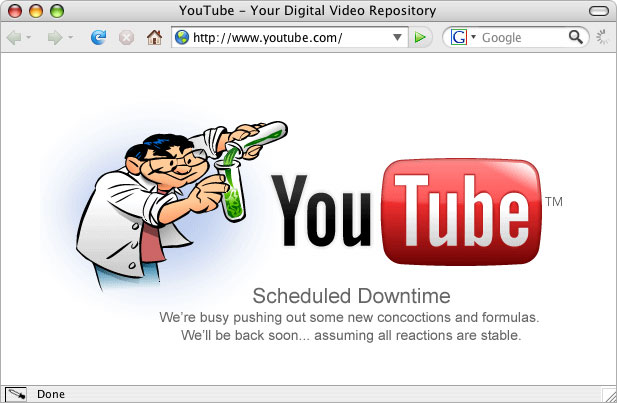
    Is YouTube getting ready to launch something? This screenshot was taken around 12AM EST, the day after Google completed their acquisition of the video sharing star.

    Can’t wait to see what’s up in the morning. ๐Ÿ™‚

  • Happy belated birthday WWW!

    The Web is 16

    I was reminded this morning that what has been my bread and butter for the last 12 years turned 16 yesterday.

    Initial WorldWideWeb program development continues on the NeXT (TBL) . This was a “what you see is what you get” (wysiwyg) browser/editor with direct inline creation of links. The first web server was nxoc01.cern.ch, later called info.cern.ch, and the first web page http://nxoc01.cern.ch/hypertext/WWW/TheProject.html Unfortunately CERN no longer supports the historical site. Note from this era too, the least recently modified web page we know of, last changed Tue, 13 Nov 1990 15:17:00 GMT (though the URI changed.)

    A dot on the historical timeline, the Web has to be right up there among the quickest and most influential revolutions the World has so far witnessed.

    And what a feisty teenager it can be… Here’s to another 16 years! ๐Ÿ™‚

  • New custom site template launched

    New v. old template

    Those who visited these pages before will notice that I have now implemented a custom Blogger template. It is still [very] loosely based on TicTac, the built-in one I was using until today. Hope you like it.