Tag: gnu/linux

  • Screencast: Fedora Core 6 Install in Parallels Desktop

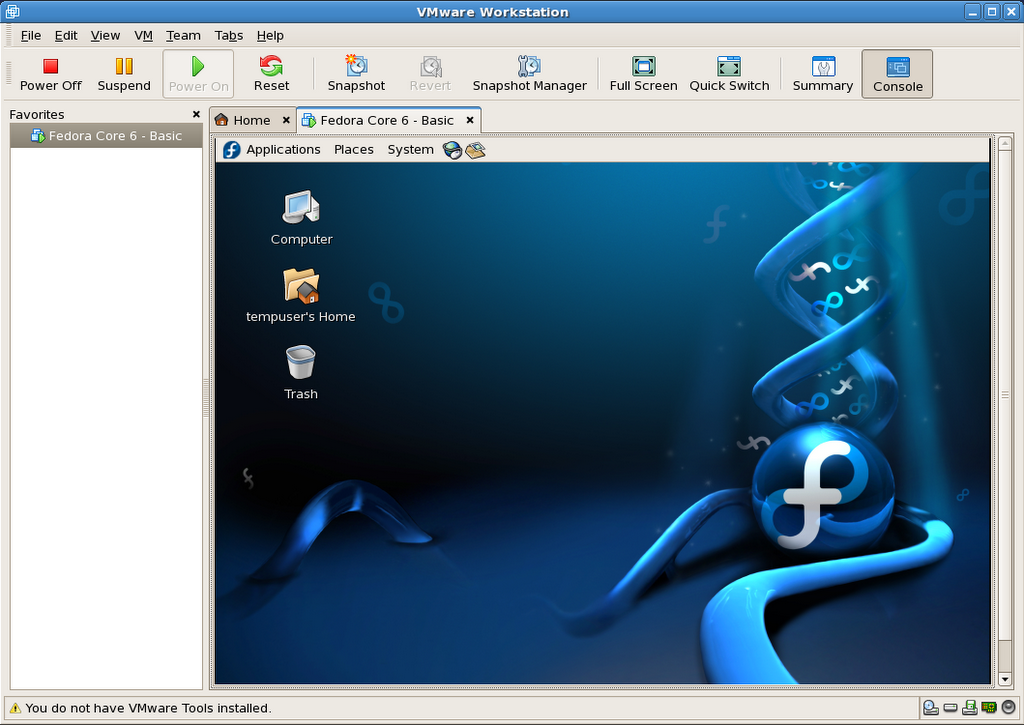
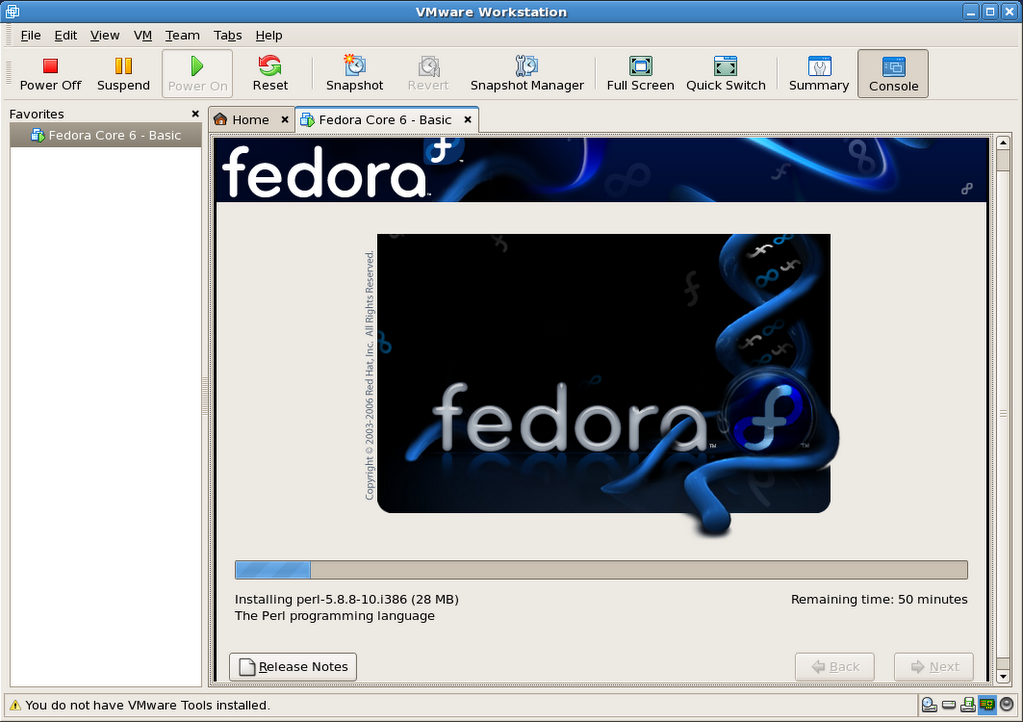
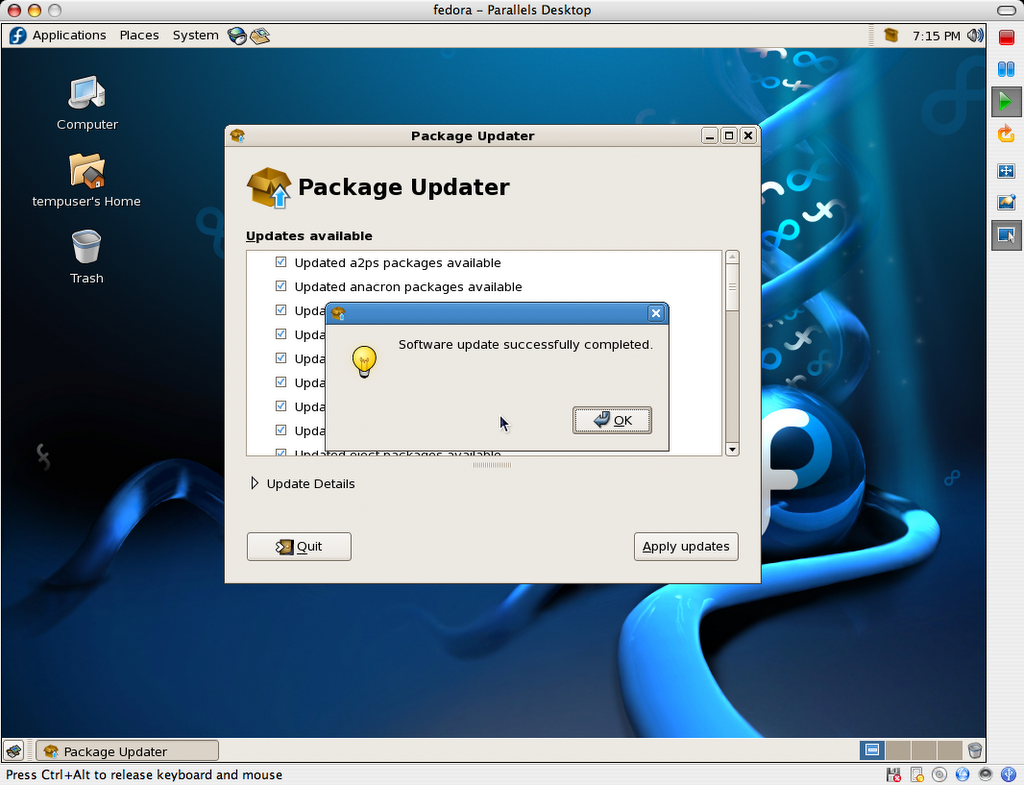
    This screencast illustrates installing Fedora Core 6 Linux as a virtual machine in Parallels Desktop for Mac. It is based on the series of screenshots offered for download, along with the resulting virtual machine, in my previous post.

    Related posts:

    Enjoy!

  • Linux Install Screencasts Coming Soon

    I’ve been toying around in iMovie, experimenting with it as a screencast tool. A bit away from what I usually do with it, but it’s not bad so far. Fun and easy to work with, as usual.

    Nothing fantastic, but I have a few Linux install movies coming up in the next few days. I’m also going to try uploading them to MetaCafe. We’ll see how it goes.

    Trying to fit this between my 7 year-old son’s hockey games (so far undefeated!).

  • Help Requesting Flash for Linux on PowerPC

    Kai Staats is asking for the community’s support in requesting for Adobe to port Flash 9 for Linux to the Power architecture (YDL, really). He also appropriately suggests for people to submit the requests with consistent[-ish] data, so the numbers work in the movement’s favour.

    Soon to be fully opened sourced, Sun’s Java is sure to quickly become available for this platform, therefore making the Flash player and browser plugin one of the next must-have components remaining to be ported. We will need Adobe to provide us with this port though, since the Flash Player source is not Free or available.

    I haven’t yet, but in the meantime, one could also try to use Gnash, a GNU Flash movie player.

    Update: I tried Gnash 0.7.2 (in FC6 Extras) on my iBook G3 tonight. It’s promising, but most definitely is a work in progress to say the least (admittedly so: alpha 2). Most simple animations work fine enough, but more advance Flash movies are still out of reach. It also does not seem to support the now iconic Flash Video format (flv), now made ubiquitous on the Web through such high profile sites as YouTube, Google Video, MetaCafe, and countless others.

  • Having a bad tech weekend…

    I started on a quest to install Linux PPC on my older iBook G3 yesterday. I wanted to try and breathe some productivity back into it, as Apple has been phasing out G3 support over the last few years. But I’m not having too much luck so far…

    I first installed Fedora Core 6 PPC, which all seemed fine until I tried to put the laptop to sleep. The whole thing crashed on wake up, and corrupted GNOME so bad, for all users, that I was unable to recover from it, even after rebooting…

    Fedora Core 6 error when waking the G3 iBook from sleep
    Not being in the mood to troubleshoot the thing, I decided to give a try to Ubuntu Desktop 6.10 PPC instead. Again, the install went fine, and sleep was working this time, but then I was quickly remembered why I stuck to a server environment when running Linux PPC in the past: no flash, no easy way to play video (vlc, mplayer, xine, ffmpeg, etc all crashed), no java, no wpa wireless security protocol setup by default, etc.

    Aaaaaaaargh! I’ve had enough of that for one weekend… And it’s not for lack of trying, as I’ve probably spent more than 12 hours giving it all a fair try. But not being the type to just give up completely, I’m getting the FC6 PPC DVD at work as we speak, and I’ll try again next week. Knowing Linux, there are probably solutions to most of my problems.

    We shall see.

  • Sony OtherOS Installer for Sony PlayStation 3 Released


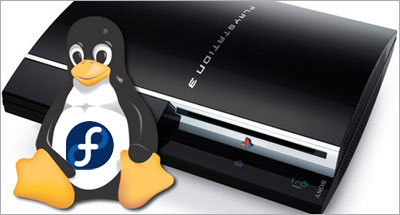
    Last saturday, I posted about Terra Soft releasing Yellow Dog Linux 5 for the PS3 on November 27th. And earlier this week, the Fedora developers tried to one-up them by releasing an add-on disc for FC5 PPC (which YDL is based on) to install the original distribution on one’s shiny new console.

    Today, the very much anticipated Sony OtherOS Installer was also made available for download, unleashing the final key to enabling anyone to easily turn the powerful game console into a full blown computer.

    It is advised to use the FC5 PPC DVD, rather than CD set, to proceed with this installation:

    For more details, the Quick Journal team has a couple of nice articles on how to boot and install GNU/Linux on the PlayStation 3.

    I would still imagine, though, that Terra Soft will probably remain the leader in Linux for the Power Architecture, all the more in the enterprise market, given the type of resources they have to support their distribution: dedicated team, first Cell-based supercomputer, IBM and Sony backing, etc.

    But for many, you can’t be early and free! 🙂

    Update: Someone has now posted a video of Fedora Core 5 running on a PS3 on YoutTube.

  • Sony Barking Up the Right Tree for their PS3 Linux

    Yellow Dog Linux for Playstation 3, featuring E17

    Linux on the Playstation 3 (PS3) has been covered before, but the inside story is that Sony Computer Entertainment Inc. (SCEI) has entered in an agreement with Terra Soft Solutions (TSS) to bring Yellow Dog Linux 5 (YDL) to their next generation console, which was actually released today in Japan.

    Under basic agreement with SCEI, Terra Soft was granted a unique opportunity to develop and bring to market a complete Linux OS for PLAYSTATION 3. In the development of Yellow Dog Linux v5.0, Terra Soft integrated and enhanced code from Barcelona Supercomputing Center, SCEI , and Fedora in order to offer the following: kernel 2.6.16, gcc 4.1.1 and glibc 2.4, Cell SDK 1.1, OpenOffice.org 2.0.2, FireFox 1.5.0 and Thunderbird 1.5.0, Nautilus 2.14 … and a suite of Personal Accessories, Development Tools; Sound & Video, Internet, and Networking applications.

    This is indeed a fantastic opportunity for the dynamic team behind YDL, especially now that Apple has completed its transition to the Intel platform, leaving behind the Power architecture. But what could have spelled the company’s dismay is now instead referred to by Kai Staats, CEO of Terra Soft, as a potential blessing in disguise, thanks to the exciting Cell architecture.

    In fact, YDL 5 will initially be released for the PS3 on its North American launch date of November 17th, with Apple and other PowerPC based systems supported later in the year. The product will be available to the YDL.net Enhanced members first (Nov.27), later on DVD (Dec. 11), and for download as a holiday treat (Dec. 25).

    As a long time YDL user both at work and at home, I am ecstatic to know that TSS has found an exciting new revenue model for their solid offering, with a potentially quite large user base if the PS3 proves to be a success, despite heavy competition from the Wii and Xbox.

    PS3/YDL/E17

    Another big winner in this deal is the Enlightenment Project, since their E17 (DR17) desktop manager has been chosen to bring what promises to be a beautiful GUI to the YDL/PS3 combination.

    When it came out in 1997, Enlightenment blew a strong blow to many other desktop environments, UNIX based and beyond, effectively delivering features such as window transparency to even modest hardware.

    Having unfortunately suffered from project management issues in the past, Enlightenment lost tremendous ground to GNOME and KDE over the years, and I am glad to see the new development team benefiting from this project.

    From game console to supercomputer

    Provided the Power architecture’s performance in number crunching intensive applications such as modeling and rendering, Terra Soft is also a very strong contender in the scientific and supercomputing markets, thanks to their Y-Bio and Y-HPC products.

    Y-Bio is Terra Soft’s solution for the growing life sciences market. Built upon the RPM Linux standard for package management, Y-Bio offers gene sequence analysis applications –tools which help bioinformatics researchers conduct their work with greater efficiency.

    Y-HPC is Terra Soft’s cluster construction-management suite for Apple G5 (IBM 970) Xserves. Built upon 64-bit Yellow Dog Linux, Y-HPC offers 64-bit enhancements for code development. In use by the Department of Energy, Department of Defense, and University labs nation-wide, Yellow Dog Linux and Y-HPC are a preferred Linux platform for the Power architecture.

    TSS is currently contracted by Sony to build of the world’s first Cell-based supercomputing cluster in their Loveland, Colorado headquarters.

    So, thanks for complicating my life…

    Okay, now that I had narrowed my choices down to either a Mac Mini or Apple’s upcoming iTV for our family room, you’re telling me I have to start over again?

    Between the games, the Blu-ray/DVD/CD, flash memory and hard drive, the USB2 ports and now a powerful desktop OS making it a full fledged workstation, I might actually get a PS3 for my home office.

    Sorry kids, that’s daddy’s toy! 😉

  • Fedora Core 6 VM Image for VMWare

    As previously mentioned, I have prepared a VMWare equivalent to the Fedora Core 6 image I am distributing for Parallels Desktop.

    You can find the details below:

    FC6_Basic_For_VMWare_5.5.x-Install_Screenshots.tar.gz:
    http download (12.1MB)
    This package contains 76 PNG screenshots of the installation procedure. They show the complete process, from setting up the VMWare image to shutting down a freshly installed and updated copy of Fedora Core 6. Please feel free to produce and distribute a screencast using these very images, if so inclined, as I do not have the time to do so myself right now. (update: I did after all).

    FC6_Basic_For_VMWare_5.5.x-20061105.tar.gz:
    http download (733.4MB)
    This is outcome of the install process shown in the above screenshots. It is fully ready to go, as long as you already have VMWare installed (free player or other).

    Here is a SHA1SUM of the above files.

    Current hosting is generously provided by the McGill Linux Users Group, so please feel free to mirror, or create a torrent, and redistribute all of the present files. Until we have a new site for the McLUG, you can post your mirror addresses and/or torrent file download info right here, as comments. I will compile a list and add it to this file as (and if) they become available.

    The VM package includes:

    • Fedora Core 6 – Basic: VMWare virtual machine folder
    • README.txt: helpful info, support terms (ie: zero, nada, ziltch 🙂
    • Fedora Core 6 – Basic – Install Screenshots: originally installed on an P4 1.65GHz
    • Fedora Mirrors.html: copy of the official Fedora mirror list
    • boot.iso: fedora boot disk used in original http install process

    The install was completed on a Pentium 4 tower (1.65GHz, 1.5GB RAM) running VMWare Workstation 5.5.2 in Fedora core 6, and was also tested on a custom P4 3GHz system running Windows XP SP2 (player), as well as another P4 1.65GHz, but running Fedora Core 5 (workstation).

    Once you have VMWare installed, simply double-click or open “Fedora Core 6 – Basic/Fedora Core 6 – Basic.vmx” to get going.

    VMWare will most likely prompt you for a few things to adapt the image to your environment:

    • Prompts to create a VM unique identifier: choose yes
    • Prompts to map the virtual floppy drive to match yours: choose yes
    • Warns that the VMWare Tools are not installed: I did not bundle them as I’m unsure if VMWare would let me distribute the image freely once installed in the VM.

    Important: The root password is changeme, and the default user is setup as tempuser, with a password of changeme also.

    This virtual machine is currently configured to use 512MB RAM. The VM’s default screen resolution is set to 800×600. You can change any and all of its settings to your heart’s contempt.

    Please note that this work is provided without support, and on a “works-for-me” basis only at this time.

    So there you have it. Enjoy!

    Update 1: Here is another source of ready-built VMWare images.

    Update 2: 2006-11-29: Related post: Screencast: Fedora Core 6 Install in VMWare Workstation

    Update 3: 2006-12-22: This VM will also run as is in the new VMWare Fusion Beta for Mac.

  • Queue the hold music: ta dadada, tada, tadada…

    I’m currently installing Fedora Core 6 in VMWare Workstation 5.5.2-29772 to provide an equivalent VM image to the one I’m distributing for Parallels Desktop for Mac.

    Check back soon to see how it all pans out.

    Update: It’s all done, but I’m going to test it on a few machines before I post it, most likely tomorrow.

  • Fedora Core 6 VM Image for Parallels Desktop for Mac

    A comment over at OSNews mentioned someone having wished for more information than I provided in my previous post on installing Fedora Core 6 in Parallels Desktop.

    So last night, thinking about how to accommodate the request, I could hardly picture more effective ways to do so than:

    • to provide a series of screenshot of the setup and install process,
    • and maybe even a ready-built VM image of the said install.

    Well, you do know what’s coming right? 🙂

    FC6_Basic_For_Parallels_Desktop-Install_Screenshots.zip:
    http download (15.3MB)
    This package contains 67 PNG screenshots of the installation procedure. They show the complete process, from setting up the Parallels VM image to shutting down a freshly installed and updated copy of Fedora Core 6. Yes, I could have produced a screencast too, but I honestly don’t have the time these days, and someone else may do so using these very images, if so inclined. (update: I did after all)

    FC6_Basic_For_Parallels_Desktop-20061101.zip:
    http download (728.7MB)
    This is outcome of the install process shown in the above screenshots. It is fully ready to go, as long as you already have Parallels Desktop installed (licensed or demo). I simply compressed the folder as a zip file because I was able to output a file about 60-70MB smaller than even a compressed disk image (.dmg).

    Here is a SHA1SUM of the above files.

    Current hosting is generously provided by the McGill Linux Users Group, so please feel free to mirror, or create a torrent, and redistribute all of the present files. Until we have a new badly needed incarnation of the McLUG web site going, you can post your mirror addresses and/or torrent file download info right here, as comments. I will compile a list and add it to this file as (and if) they become available.

    The VM package includes:

    • fedora.pvs: Parallels Desktop config file
    • fedora.hdd: 8GB virtual hard disk (auto-expanding, currently using 2.24GB)
    • README.txt: helpful info, support terms (ie: zero, nada, ziltch 🙂
    • Fedora Core 6 Install Screenshots: bundled install screenshots
    • Fedora Mirrors.webloc: OS X bookmark for the official Fedora mirror list
    • boot.iso: fedora boot disk used in original http install process

    The install was completed on a Fall 2006 Apple MacBook (Intel Core Duo, 2GHz, 2GB RAM), and was also tested on a Fall 2006 20-inch iMac (Intel Core Duo, 2.16GHz, 2GB RAM).

    Once you have Parallels Desktop for Mac installed, simply double-click or open fedora.pvs to get going.

    Important: The root password is changeme, and the default user is setup as tempuser, with a password of changeme also.

    This virtual machine is currently configured to use 512MB RAM. The VM’s default screen resolution is set to 1024×768. You can change any and all of its settings to your heart’s contempt.

    Please note that this work is provided without support, and on a “works-for-me” basis only at this time.

    So there you have it. Enjoy!

    Update: I found a forum thread linking to more ready-to-go GNU/Linux images for Parallels Desktop: Ubuntu, Xunbuntu, etc.

    Update 2: I’ve had to update the links to the download locations above to accommodate for a new VMWare image I’m also working on. You should update your links if you pointed to the image directly on your site or other (though I’d advise to point to this very page instead, since its location will not change).

    Update 3: I now also have a VMWare FC6 image for download.

    Update 4: I have produced a screencast from the above series of screenshots.

  • Fedora Core 5 to Core 6 upgrade on x86

    As previously hinted at, my second encounter with Zod (this one, not that one) was to upgrade my home file/media/LAMP server, an older HP tower running a P4, with 1.5 GB of RAM, two rather large ATA drives and a CD/DVD drive.

    This post really focuses on the fact that I hereby did something that I, and others, rarely feel comfortable doing under GNU/Linux: following the distribution’s major release upgrade path. I usually tend to re-install the system from scratch instead, while preserving my home directories and re-applying my customizations where needed, usually through custom scripts.

    Well, I’m happy to say that despite my concerns, since my family and I rely quite heavily on this home server, I did upgrade from Core 5 to Core 6 and live to tell the tale. It was in fact as easy as, say, an OS X upgrade, which in itself says quite a bit, assuming you did not add oodles of custom built software outside of the distribution’s package management architecture (ie: custom compiled kernels and software).

    I once again chose to use a network (http) install using a regional mirror. You can find a list of the latter to match your geographic location on the Fedora Wiki.

    Having chosen to upgrade, the Anaconda installer skipped over all of the configuration steps, only prompting me to confirm the partition holding the system I wished to upgrade. Having only one on that machine, hitting enter sent me well on my way to completing the install with barely any further user input.

    And that really is it for the upgrade itself… Now, was that painless or what? But wait, if you’re anything like me, you probably do have quite a few software add-ons that you got used to, and will now have to deal with.

    In my context, this box was not highly customized. Having full hardware support out of the box for the past few Fedora Core releases (3 and up) for this computer, my add-ons really boiled down to 3 components:

    1. the yum-fastestmirror plugin, to speed up the software install and updates
    2. the Livna repository, to manage software outside of the Fedora-provided packages
    3. and a custom compiled mt-daapd server, for sharing media files on my home network

    I could have also included the nVidia video drivers, but being a headless server, I do not personally need them. Here is a good article on how to install the nVidia or ATI drivers on FC6 via Livna, should you need them.

    Livna being an add-on, I knew that I’d have to upgrade its RPM manually through yum, but what I was not expecting was for the yum-fastestmirror plugin to bring yum to its knees, rendering it useless right off the bat…

    So I rolled back to the good old /bin/rpm utility, and simply deleted the yum-fastest mirror RPM, as root.

    rpm -e yum-fastestmirror

    I then uninstalled the previous version of the Livna repository, since it is release-based and is not upgradable. I did so through /usr/bin/yum, now fully functional again. I also proceeded to install the adequate Livna version and check for system updates with the mother ship.

    yum remove livna-release-5
    rpm -ivh http://rpm.livna.org/livna-release-6.rpm
    yum update

    Compiling a clean copy of mt-daapd was as painless as could be, provided I had installed sql-lite in FC5, which had of course been cleanly upgraded in FC6.

    And that was that! I’d estimate the whole thing took me around an hour and a half, and so far, Fedora has exceeded my expectations, especially considering I was kind of going against the community’s best advice on this one.

    To conclude, and regardless of the operating system you use, I strongly advise anyone considering following an upgrade path, upon major releases, to always research what it will mean to them and their hardware in advance. A few minutes spent running simple web queries are always easier than fuming for hours over your lost data or unsupported hardware once the deed is done!

    Now, let’s play! 🙂

    Update 2006-12-10:

    Well, it seems that a lot of people are interested in upgrading from Fedora 5 to 6, if I’m to believe my site stats.

    So as an encouraging update note, I just wanted to say that I’m still running the same upgraded copy of FC6, and more than a month later, all is well under the sun.