Tag: fedora-core

  • Fedora Core 7 Test 4 Notes

    I installed FC 7 Test 4 on one of my home machines, which was previously running FC6, and it pretty much all went fine. Like with all new releases, there was a definite speed improvement in most operations.

    I personally like the new live CD installer. If nothing else, simply for the fact that you get a chance to see how the OS will behave on your new machine before you install it. It’s still ironic to me to see the major distros going to that format, because I remember how most Linux users were poking fun at the first developers to use a live cd install process (that I know of), back in 1999: the now defunct LinuxPPC distribution.

    For those interested, you can access a lot of FC7 screenshots and videos at the main wiki: Fedora 7 Tour.

    Besides the obvious changes, one that puzzled me for a while since I’m not a hardcore follower up-to-date with all the details, is that all my IDE hard drives were now showing up as /dev/sd* (historically SCSI) instead of /dev/hd*. One quote I could find on the wiki about this was: “In this release, all hard disk partitions follow a /dev/sd* naming convention due to a new libata driver interface in the kernel. The Anaconda installer eases the transition for release upgrades.”

    Another puzzler was the fact that despite choosing to setup my box with a manually assigned IP address in the install process, it was still acquiring one with DHCP at boot time. You can see this in the attached screenshot below (click for a larger view): note the discrepancy between the network config panel and the address reported by the ping command in the terminal. This continued, even after rebooting the machine or just the network (service network restart” as root), until I issued a “ifup eth0” command as root, which made it all fine from there on.


    Trying to run FC7 Test 4 on my MacBook worked fine natively from the Live CD (no install), which did not under Test 3, but I haven’t been able to boot it while virtualized in Parallels Desktop for Mac. I haven’t tried in VMWare Fusion yet.

    The last note is quite a personal one: I much preferred the default theme (icons) in Test 3 (3D) than the ones delivered in Test 4 (2D)… The new ones make me feel like I’m back in the pre-BlueCurve years. ๐Ÿ˜‰

    That’s it for me, for now. This box being mostly a file/web/db server, running on older hardware (P4 1.65Ghz), I can’t really play with compiz, which would be one of the major improvements over FC6, besides running new versions of everything.

    Update: here are a few notes form a friend who recently installed it on his shiny new Mac laptop: FC7T4 on MacBook (Core 2 Duo).

  • Fedora Core 7 Test 4 Released

    FC7 test 4 (6.93) has just been announced, right on schedule, and is now available as a torrent and on (most of) the mirrors.


    Get it while it’s hot and especially before it makes it to the Slashdot, Digg, and many other high profile front pages.

  • Screenshots of Fedora Core 6 in VMWare Fusion Beta

    Please note: this is an early report, and more details will be posted as I have more time to dig deeper into Fusion. Loads of screenshots in the meantime.

    As I mentioned earlier, VMWare Fusion for Mac has had its first beta version released publicly today. My first thought was to try the existing Fedora Core 6 x86 virtual machine I put up for download a few weeks ago, to see if it would run as is on my 2006 Core Duo Macbook.

    Having experience with both VMWare on other platforms and Parallels Desktop on the Mac, I was eager to see how the two compared. Having moved VMs between OS platforms with VMWare, I really wanted to know if the Mac would indeed be treated equally.

    So since I’m busy packing for a holiday trip, and only have little time for it, I thought I’d post screenshots of how it all went. Hint: it’s all good. ๐Ÿ™‚ You can go ahead and download my VM image, and give it a shot for yourself.

    I’m only going to embed a few screenshots below, so the page stays light, but here is a complete archive: FC6_in_VMWare_Fusion_Beta-SCREENSHOTS-20061222.zip (71 screenshots. SHA1SUM: 0e468e48e8727ff842258e720b323960f19b92ad)

  • Pre-Order a PS3 with Linux Installed

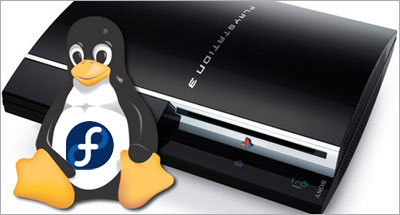
    TerraSoft is now taking pre-orders for Sony PlayStation 3 with Yellow Dog Linux 5 pre-installed. YDL5 is based on Fedora Core 5.

    If you already have the new console, you can also just order the new YDL5 distro on DVD, or download it via TerraSoft’s YDL.net Enhanced. Both options have support options.

    You can also wait a few more days and download it during the week of December 25, or take the more experimental road, and do it the other way.

  • Praise Be Parallels Desktop's Performance

    I mean, what else can I say? If you watch the attached video, you’ll see what I mean.

    • Mac OS X 10.4.8, Parallels Desktop
    • Windows XP, Internet Explorer 7
    • Fedora Core 6, Firefox 2
    • Ubuntu 6.10 Desktop, Firefox 2

    All running on my usual 2GHz Core Duo MacBook with 2 GB RAM (512MB/VM).

    Performance is awesome. The video is in real time and the only reason the VMs were set to 800×600 was to try and keep the screencast relatively crisp when converted to a small FLV.

    Tip: It’s in the docs and all, but it took me a while to remember how to launch multiple windows in Parallels Desktop, since it loads VMs in the same window when opening them: File menu ยป New Window

  • Screencast: Fedora Core 6 Install in VMWare Workstation

    This screencast illustrates installing Fedora Core 6 Linux as a virtual machine in VMWare Workstation. It is based on the series of screenshots offered for download, along with the resulting virtual machine, in my previous post.

    Related posts:

    Enjoy!

  • Screencast: Fedora Core 6 Install in Parallels Desktop

    This screencast illustrates installing Fedora Core 6 Linux as a virtual machine in Parallels Desktop for Mac. It is based on the series of screenshots offered for download, along with the resulting virtual machine, in my previous post.

    Related posts:

    Enjoy!

  • Having a bad tech weekend…

    I started on a quest to install Linux PPC on my older iBook G3 yesterday. I wanted to try and breathe some productivity back into it, as Apple has been phasing out G3 support over the last few years. But I’m not having too much luck so far…

    I first installed Fedora Core 6 PPC, which all seemed fine until I tried to put the laptop to sleep. The whole thing crashed on wake up, and corrupted GNOME so bad, for all users, that I was unable to recover from it, even after rebooting…

    Fedora Core 6 error when waking the G3 iBook from sleep
    Not being in the mood to troubleshoot the thing, I decided to give a try to Ubuntu Desktop 6.10 PPC instead. Again, the install went fine, and sleep was working this time, but then I was quickly remembered why I stuck to a server environment when running Linux PPC in the past: no flash, no easy way to play video (vlc, mplayer, xine, ffmpeg, etc all crashed), no java, no wpa wireless security protocol setup by default, etc.

    Aaaaaaaargh! I’ve had enough of that for one weekend… And it’s not for lack of trying, as I’ve probably spent more than 12 hours giving it all a fair try. But not being the type to just give up completely, I’m getting the FC6 PPC DVD at work as we speak, and I’ll try again next week. Knowing Linux, there are probably solutions to most of my problems.

    We shall see.

  • Sony OtherOS Installer for Sony PlayStation 3 Released


    Last saturday, I posted about Terra Soft releasing Yellow Dog Linux 5 for the PS3 on November 27th. And earlier this week, the Fedora developers tried to one-up them by releasing an add-on disc for FC5 PPC (which YDL is based on) to install the original distribution on one’s shiny new console.

    Today, the very much anticipated Sony OtherOS Installer was also made available for download, unleashing the final key to enabling anyone to easily turn the powerful game console into a full blown computer.

    It is advised to use the FC5 PPC DVD, rather than CD set, to proceed with this installation:

    For more details, the Quick Journal team has a couple of nice articles on how to boot and install GNU/Linux on the PlayStation 3.

    I would still imagine, though, that Terra Soft will probably remain the leader in Linux for the Power Architecture, all the more in the enterprise market, given the type of resources they have to support their distribution: dedicated team, first Cell-based supercomputer, IBM and Sony backing, etc.

    But for many, you can’t be early and free! ๐Ÿ™‚

    Update: Someone has now posted a video of Fedora Core 5 running on a PS3 on YoutTube.

  • Sony Barking Up the Right Tree for their PS3 Linux

    Yellow Dog Linux for Playstation 3, featuring E17

    Linux on the Playstation 3 (PS3) has been covered before, but the inside story is that Sony Computer Entertainment Inc. (SCEI) has entered in an agreement with Terra Soft Solutions (TSS) to bring Yellow Dog Linux 5 (YDL) to their next generation console, which was actually released today in Japan.

    Under basic agreement with SCEI, Terra Soft was granted a unique opportunity to develop and bring to market a complete Linux OS for PLAYSTATION 3. In the development of Yellow Dog Linux v5.0, Terra Soft integrated and enhanced code from Barcelona Supercomputing Center, SCEI , and Fedora in order to offer the following: kernel 2.6.16, gcc 4.1.1 and glibc 2.4, Cell SDK 1.1, OpenOffice.org 2.0.2, FireFox 1.5.0 and Thunderbird 1.5.0, Nautilus 2.14 … and a suite of Personal Accessories, Development Tools; Sound & Video, Internet, and Networking applications.

    This is indeed a fantastic opportunity for the dynamic team behind YDL, especially now that Apple has completed its transition to the Intel platform, leaving behind the Power architecture. But what could have spelled the company’s dismay is now instead referred to by Kai Staats, CEO of Terra Soft, as a potential blessing in disguise, thanks to the exciting Cell architecture.

    In fact, YDL 5 will initially be released for the PS3 on its North American launch date of November 17th, with Apple and other PowerPC based systems supported later in the year. The product will be available to the YDL.net Enhanced members first (Nov.27), later on DVD (Dec. 11), and for download as a holiday treat (Dec. 25).

    As a long time YDL user both at work and at home, I am ecstatic to know that TSS has found an exciting new revenue model for their solid offering, with a potentially quite large user base if the PS3 proves to be a success, despite heavy competition from the Wii and Xbox.

    PS3/YDL/E17

    Another big winner in this deal is the Enlightenment Project, since their E17 (DR17) desktop manager has been chosen to bring what promises to be a beautiful GUI to the YDL/PS3 combination.

    When it came out in 1997, Enlightenment blew a strong blow to many other desktop environments, UNIX based and beyond, effectively delivering features such as window transparency to even modest hardware.

    Having unfortunately suffered from project management issues in the past, Enlightenment lost tremendous ground to GNOME and KDE over the years, and I am glad to see the new development team benefiting from this project.

    From game console to supercomputer

    Provided the Power architecture’s performance in number crunching intensive applications such as modeling and rendering, Terra Soft is also a very strong contender in the scientific and supercomputing markets, thanks to their Y-Bio and Y-HPC products.

    Y-Bio is Terra Soft’s solution for the growing life sciences market. Built upon the RPM Linux standard for package management, Y-Bio offers gene sequence analysis applications –tools which help bioinformatics researchers conduct their work with greater efficiency.

    Y-HPC is Terra Soft’s cluster construction-management suite for Apple G5 (IBM 970) Xserves. Built upon 64-bit Yellow Dog Linux, Y-HPC offers 64-bit enhancements for code development. In use by the Department of Energy, Department of Defense, and University labs nation-wide, Yellow Dog Linux and Y-HPC are a preferred Linux platform for the Power architecture.

    TSS is currently contracted by Sony to build of the world’s first Cell-based supercomputing cluster in their Loveland, Colorado headquarters.

    So, thanks for complicating my life…

    Okay, now that I had narrowed my choices down to either a Mac Mini or Apple’s upcoming iTV for our family room, you’re telling me I have to start over again?

    Between the games, the Blu-ray/DVD/CD, flash memory and hard drive, the USB2 ports and now a powerful desktop OS making it a full fledged workstation, I might actually get a PS3 for my home office.

    Sorry kids, that’s daddy’s toy! ๐Ÿ˜‰