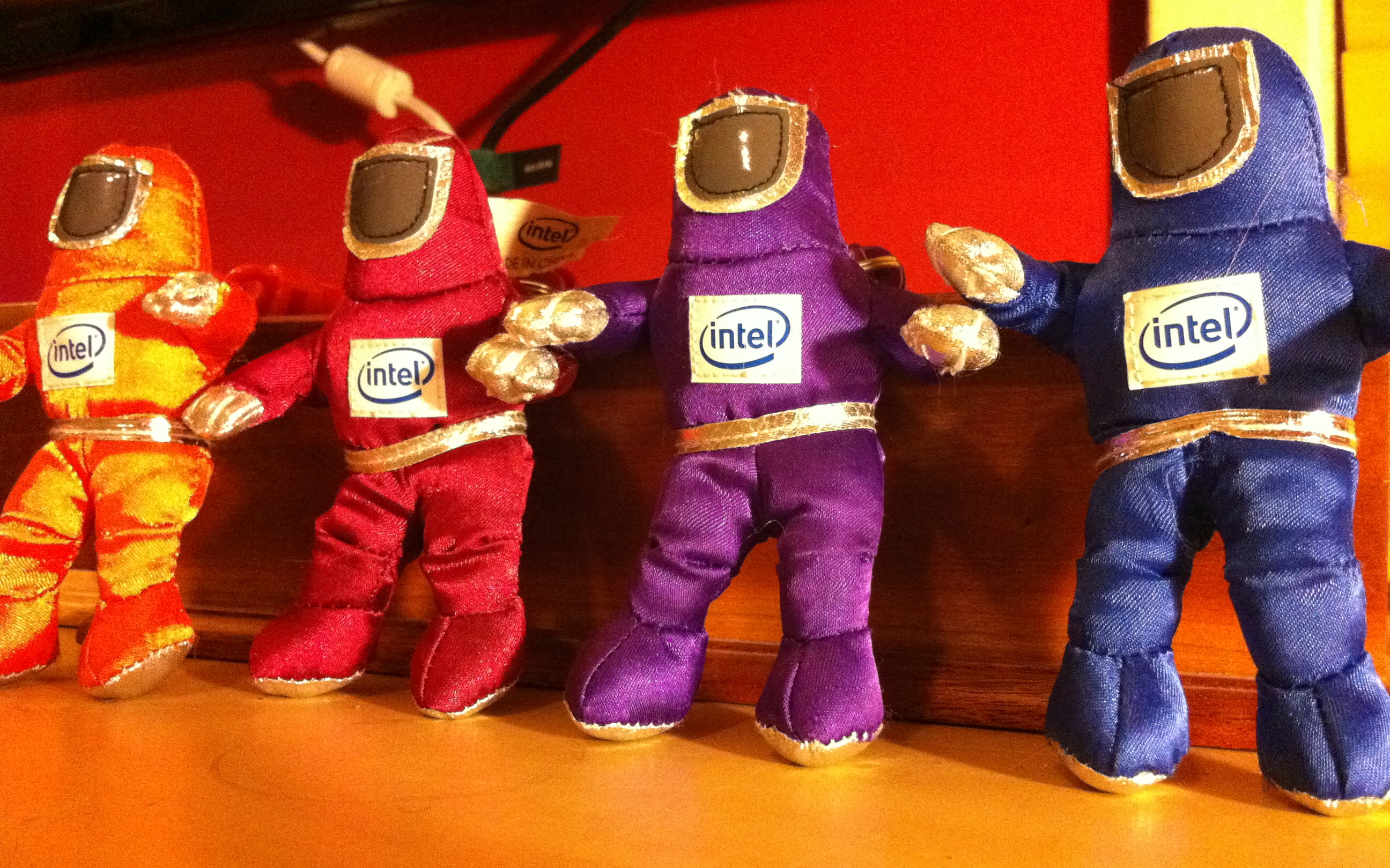
Remember those guys? They were Intel‘s mascots for the campaign surrounding the Pentium II processor, back in 1997. Why I just found four of them, as keychains, in my kids playroom in 2011, I’m not entirely sure (oldest was born in 1999)…
Remember those guys? They were Intel‘s mascots for the campaign surrounding the Pentium II processor, back in 1997. Why I just found four of them, as keychains, in my kids playroom in 2011, I’m not entirely sure (oldest was born in 1999)…
Apple‘s Time Machine backup tool is pretty cool when you own a Mac. Thing is, if your laptop drive dies while on the go and you do not have your OS X install DVD, you’re all out of luck for a restore…. To cope with this, here’s what I did with the 2.5″ external drive I backup my MacBook Pro with and take with me on most trips.
Since the drive is 500GB, which happens to be 180GB larger then my laptops’d drive, I didn’t want to use all of the space for incremental backups. Instead, I keep some spare space by splitting the drive in two partitions. I made my backups partition 330GB: my drive’s size + 10GB for the 6+GB OS X install DVD. The second partition, with an extra 170GB, can be used for movies, photos, etc when traveling.
When you format your drive with Disk Utility, be sure to select a partition scheme appropriate to boot the most likely Mac you’ll be dealing with. A lot of drives come with Master Boot Record installed, for Windows/DOS computers. Select GUID Partition Table for Intel-based Mac, by clicking the Options button underneath the partition graph in Disk Utility, then format your drive.
Once the drive formatted, Use Disk Utility to restore your Mac OS X Install DVD to your backup partition. This will give you a bootable partition, as well as give you a full OS X installer, in case of disaster with any of your or anyone else’s Mac.
Finally, simply select the same partition as your Time Machine target, run an initial backup and you’re all set. If disaster strike with your backed-up system, simply boot from your external backup drive and restore from it.
An alternative to this setup is to backup your Mac by cloning your drive with Carbon Copy Cloner (support incremental backups and scheduling too). One advantage is that your external drive is an exact copy of you backed-up system. So in case of disaster, you don’t even have to restore to be fully functional again if needed. You can simply boot from your backup drive and start working from there. When it’s time to restore, simply clone the said drive to a new one and pickup right where you left off. I might do that for my laptop, but I like the concept of having the OSX installer and backups at once with me in the meantime.
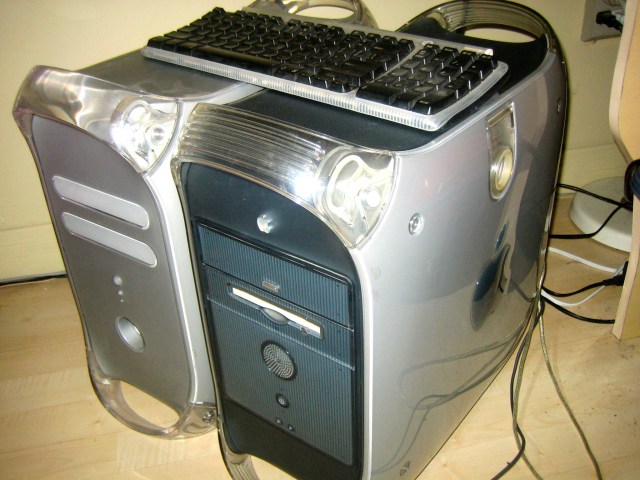
It sure had been a while since I worked on an Apple PowerMac G4. Tonight, I did so on two at once. The blue one is from April 1999, is a G4 450 Mhz and was bought the same month my 1st son was born. The grey one is, I think, from 2001, is a G4 887 Mhz and was once a web server running Yellow Dog Linux. Both are fully functional and my mom is still using the newer one.
[vimeo http://www.vimeo.com/17938702 w=640&h=480]
The Satarii Star promises to be a pretty sweet iPhone accessory. The pitch is simple: “a product that makes your mobile camera follow your every move. You can video yourself doing anything without the awkwardness of asking friends or complicated setups”. Add the twist that the device is entirely crowd funded through IndieGoGo, and you’ve got yourself all the bits for a potential success story.
In the same vein, the Glif is also pretty neat, and funded in the same fashion.

SynthStation49 is the most advanced, intuitive music controller designed specifically for use with the iPad and the first true iPad performance tool for musicians. Working seamlessly with Akai Professional’s heralded SynthStation software, SynthStation49 provides unparalleled music creation capabilities, including direct in-app MIDI recording from its velocity-sensitive keyboard, nine MPC-style drum pads and array of transport controls. In addition to its integration with the SynthStation app, SynthStation49 is also completely iOS CoreMIDI compatible, making it instantly compatible with dozens of music apps already in the App Store and hundreds more on the way.
Don’t own an iPad? Never fear, there’s also the SynthStation25 for iPhone and iPod Touch.
Found via TUAW.
As you probably know, my family and I are in Mexico for a few weeks. Because we’re here for close to a month, I’m working full-time for part of our trip while my wife and kids enjoy the goodness that is the all-inclusive Sandos Playacar (we’ll be moving in a villa for the last 2 weeks on the 24th). This lead me to acquire a TelCel Amigo 3G USB stick (comes with 3GB of monthly bandwidth).
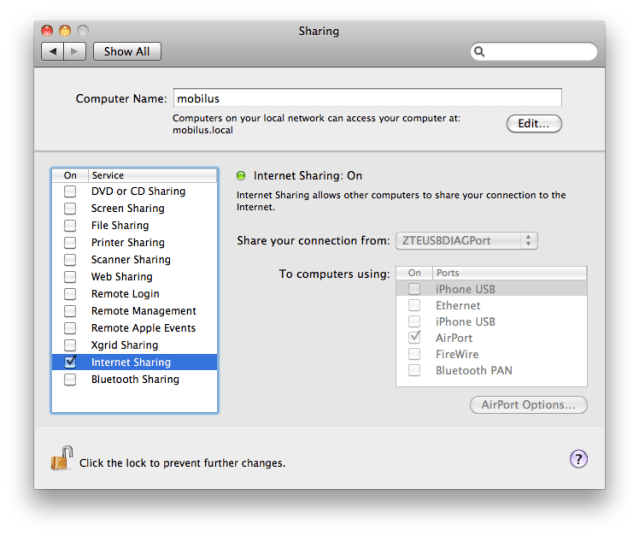
Since this is the only constant internet connection we’ll have throughout our stay, I wanted to be able to share the connection so that I can also connect via wifi for our iPhones (unlocked, also set with simple pay-as-you-go local SIMs, but no data) and my son’s netbook.
If you happen to be on OSX, doing so is absolutely dead-easy.
Tada! You should be all set and now be able to see your mac-as-an-access-point from any wifi-compatible devices. Enjoy! 🙂
Update: Had forgotten to attach the screenshot I mentioned. See below.
I have to admit that when I first saw the new Dell Inspiron Duo (pictured below, US$549.99), my first thought was “this should have been an Apple first”…
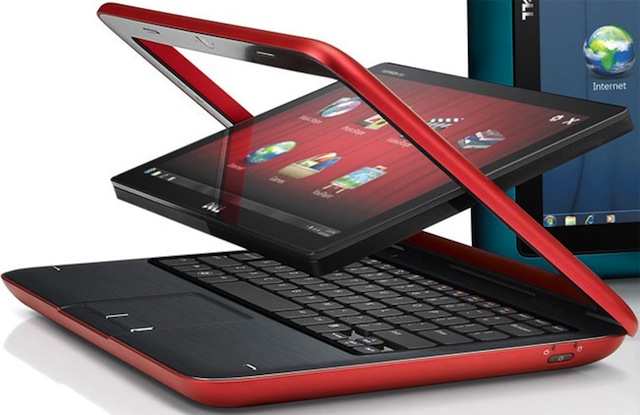
Others have had their own forays into the hybrid market, but to be honest, the thought of running Windows and the usual flimsy construction or poor implementation has so far kept me away from making the move, despite loving the concept. And Linux distros like Ubunto for Netbook haven’t done a much better job at wooing me either (though we run it on the household/kids’ netbook).
But now, Apple has patented a new design which might indicate their entry in the market, hopefully in the near future. I can’t wait, if so.

To be noted: I’m not sure how comfortable those side rails would be though….
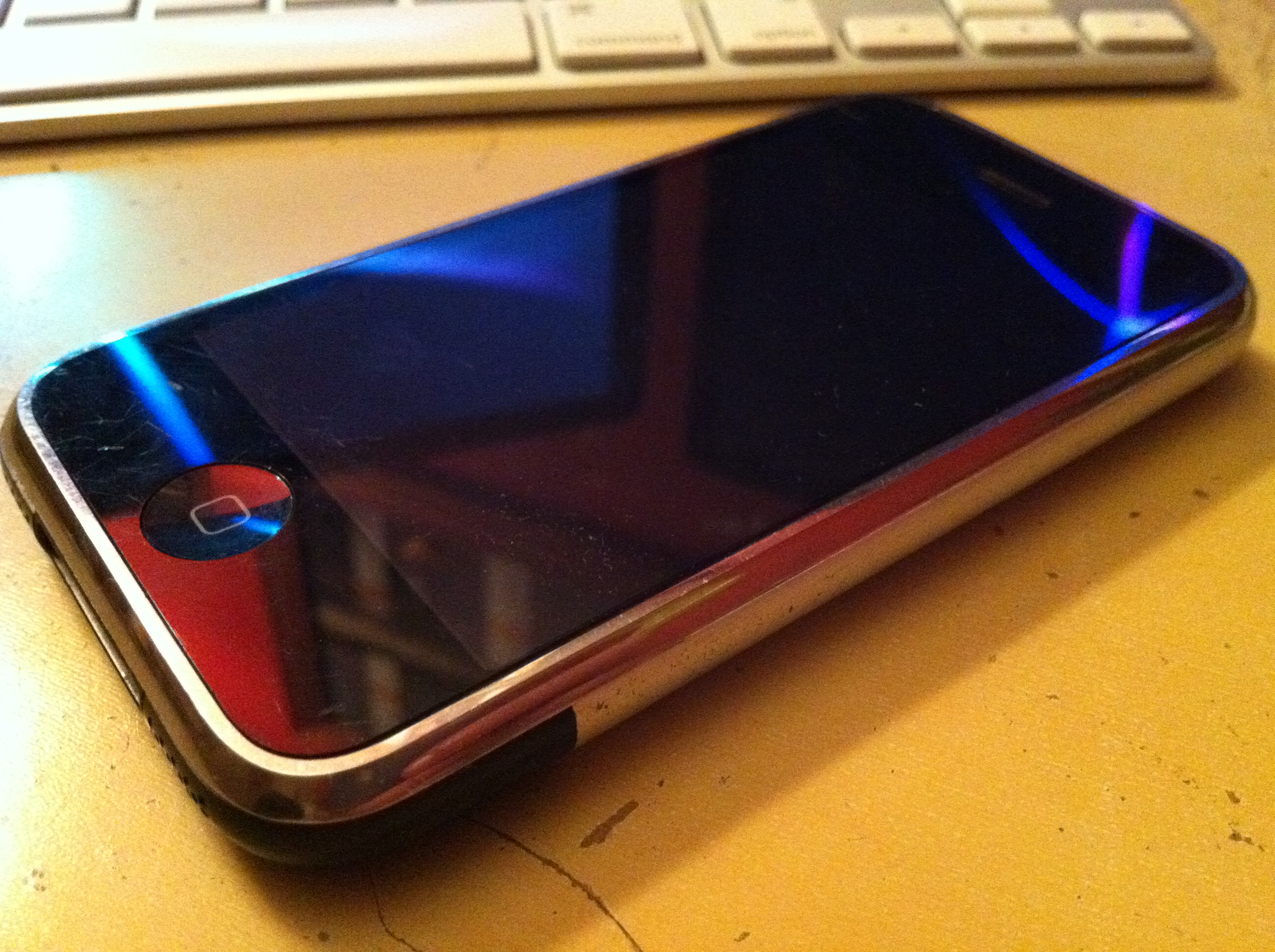
I’m about to retire my original iPhone. My now friend, Matt, had bought it for me back in October 2007, when Alex, Doug and I won an improvised WordPress/iPhone competition. So many things have happened since then, such as my now working with Automattic, this device is actually emotions laden.
The 1st-gen iPhone was never available in Canada, so I’ve had to stay on top of all things jailbreak/unlock so we could even use it. So far, it’s gone through myself until around April 2009, then my wife until about August 2010 when she got her iPhone 4, and finally my oldest son until a few days ago when I received my iPhone 4 and gave him my 3GS.
It’s in perfect working order, but is now unfortunately stuck in the past as it does not support iOS 4 and later.
Our 9 year-old has an iPod Touch and is too young for a phone with voice/text/data. Our 4 year old is just plain too young for it. So it’ll go to sleep for a while, until our youngests are ready for it. If nothing else, it makes for a great iPod, when jailbroken (so it doesn’t require a functional SIM card).
Until then, sleep tight good friend. We shall see each other soon, when you make your inescapable come back, star that you are. 🙂
Largely inspired by Beau’s equivalent setup, I rolled out a small Applescript to set my miscellaneous IM/IRC/Skype statues as away or available in one click.
[sourcecode]
set myStatus to display dialog "Select your IM Status:" buttons {"Away", "Available"} default button 1
— Adium: Multiple IM and single IRC account statuses
if appIsRunning("Adium") then
tell application "Adium"
if the button returned of myStatus is "Away" then
send the first chat of the first chat window message "/nick stephdau|away"
go away
else
send the first chat of the first chat window message "/nick stephdau"
go available
end if
end tell
end if
— Skype status
if appIsRunning("Skype") then
tell application "Skype"
if the button returned of myStatus is "Away" then
send command "SET USERSTATUS AWAY" script name "My Script"
else
send command "SET USERSTATUS ONLINE" script name "My Script"
end if
end tell
end if
— iTunes
if appIsRunning("iTunes") then
tell application "iTunes"
if the button returned of myStatus is "Away" then
pause
else
play
end if
end tell
end if
— Helper
on appIsRunning(appName)
tell application "System Events" to (name of processes) contains appName
end appIsRunning
[/sourcecode]
Note on Adium handling: because of my account order and the fact that I connect to IRC via ZNC, the first chat of the first chat window is always an IRC room in my context.
I haven’t yet, but I could adapt this script to also take parameters to get the button status equivalent, then couple it with SleepWatcher or ScriptSaver to have the script triggered on sleep/wake on my MacBook Pro or when the screensaver activates/deactivates on my iMac.
http://twitter.com/markjaquith/status/4733105843740672
To which I replied:
@markjaquith */20 * * * * a[0]='Hello Dave';a[1]='Peekaboo';a[2]='Eat my shorts!';a[3]='By the power of Greyskull!';say ${a[$(($RANDOM%4))]}
— Stephane Daury (@stephdau) November 17, 2010