Category: Uncategorized

  • JibJab's Great Sketch Experiment

    JibJab, if you’re not familiar with this web-based comedy outlet, really reached a wide and mainstream audience with the now classic political satire This Land during the 2004 US presidential election campain. Not that they haven’t created a whole slew of priceless original pieces since then, but I truly find 2-0-5 to be a pure gem.

    Their latest venture brought them with comedy legend director Jonh Landis, of The Blues Brothers and Animal House fame among many others, to launch The Great Sketch Experiment, an independent comedy contest for which I have attached a video description by the JibJab founders below.

    What a great concept and opportunity!

    But enough said, just go to the site, watch the 6 qualified entries, and vote away! I think the one I’m leaning toward is Small World, though I also really enjoyed Tall Cop, Short Cop and So You Want to be a Cop. But Tom and Tina was pretty clever too, and Shawshank in a Minute had a definite SNL feel to it.

    Hmmm, decisions, decisions…

  • Fedora Core 5 to Core 6 upgrade on x86

    As previously hinted at, my second encounter with Zod (this one, not that one) was to upgrade my home file/media/LAMP server, an older HP tower running a P4, with 1.5 GB of RAM, two rather large ATA drives and a CD/DVD drive.

    This post really focuses on the fact that I hereby did something that I, and others, rarely feel comfortable doing under GNU/Linux: following the distribution’s major release upgrade path. I usually tend to re-install the system from scratch instead, while preserving my home directories and re-applying my customizations where needed, usually through custom scripts.

    Well, I’m happy to say that despite my concerns, since my family and I rely quite heavily on this home server, I did upgrade from Core 5 to Core 6 and live to tell the tale. It was in fact as easy as, say, an OS X upgrade, which in itself says quite a bit, assuming you did not add oodles of custom built software outside of the distribution’s package management architecture (ie: custom compiled kernels and software).

    I once again chose to use a network (http) install using a regional mirror. You can find a list of the latter to match your geographic location on the Fedora Wiki.

    Having chosen to upgrade, the Anaconda installer skipped over all of the configuration steps, only prompting me to confirm the partition holding the system I wished to upgrade. Having only one on that machine, hitting enter sent me well on my way to completing the install with barely any further user input.

    And that really is it for the upgrade itself… Now, was that painless or what? But wait, if you’re anything like me, you probably do have quite a few software add-ons that you got used to, and will now have to deal with.

    In my context, this box was not highly customized. Having full hardware support out of the box for the past few Fedora Core releases (3 and up) for this computer, my add-ons really boiled down to 3 components:

    1. the yum-fastestmirror plugin, to speed up the software install and updates
    2. the Livna repository, to manage software outside of the Fedora-provided packages
    3. and a custom compiled mt-daapd server, for sharing media files on my home network

    I could have also included the nVidia video drivers, but being a headless server, I do not personally need them. Here is a good article on how to install the nVidia or ATI drivers on FC6 via Livna, should you need them.

    Livna being an add-on, I knew that I’d have to upgrade its RPM manually through yum, but what I was not expecting was for the yum-fastestmirror plugin to bring yum to its knees, rendering it useless right off the bat…

    So I rolled back to the good old /bin/rpm utility, and simply deleted the yum-fastest mirror RPM, as root.

    rpm -e yum-fastestmirror

    I then uninstalled the previous version of the Livna repository, since it is release-based and is not upgradable. I did so through /usr/bin/yum, now fully functional again. I also proceeded to install the adequate Livna version and check for system updates with the mother ship.

    yum remove livna-release-5
    rpm -ivh http://rpm.livna.org/livna-release-6.rpm
    yum update

    Compiling a clean copy of mt-daapd was as painless as could be, provided I had installed sql-lite in FC5, which had of course been cleanly upgraded in FC6.

    And that was that! I’d estimate the whole thing took me around an hour and a half, and so far, Fedora has exceeded my expectations, especially considering I was kind of going against the community’s best advice on this one.

    To conclude, and regardless of the operating system you use, I strongly advise anyone considering following an upgrade path, upon major releases, to always research what it will mean to them and their hardware in advance. A few minutes spent running simple web queries are always easier than fuming for hours over your lost data or unsupported hardware once the deed is done!

    Now, let’s play! 🙂

    Update 2006-12-10:

    Well, it seems that a lot of people are interested in upgrading from Fedora 5 to 6, if I’m to believe my site stats.

    So as an encouraging update note, I just wanted to say that I’m still running the same upgraded copy of FC6, and more than a month later, all is well under the sun.

  • Fedora Core 6 (Zod) in virtualized environment

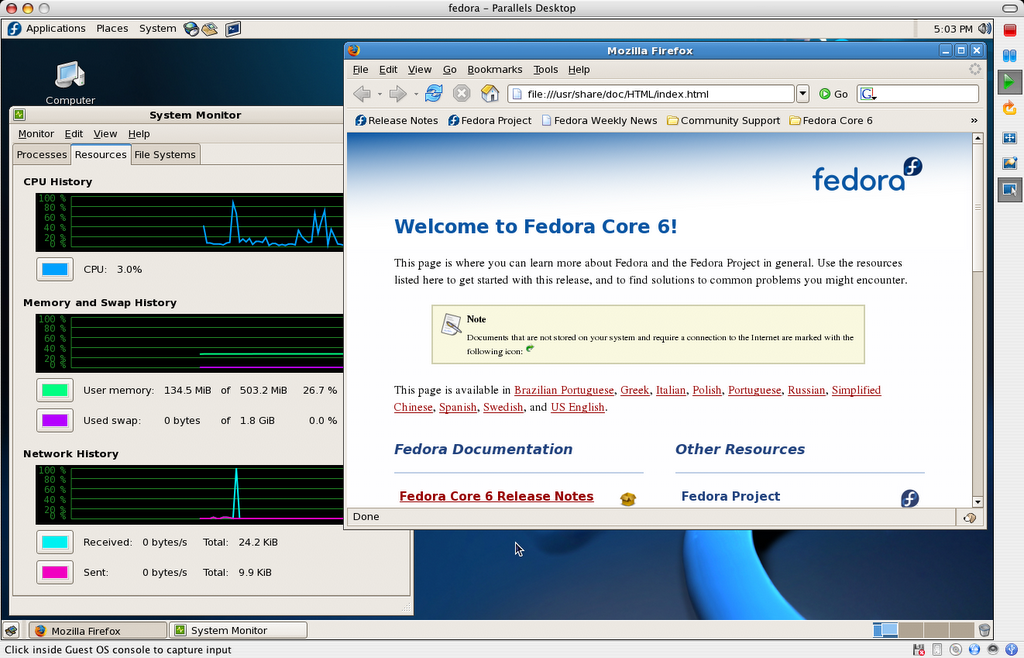
    I got to install Fedora Core 6 twice yesterday, in very different contexts, and I’m so far rather pleased with the outcome of my stay in Zod-land. This, despite minor setbacks which were very much due to my requirements, and some not truly Fedora related.

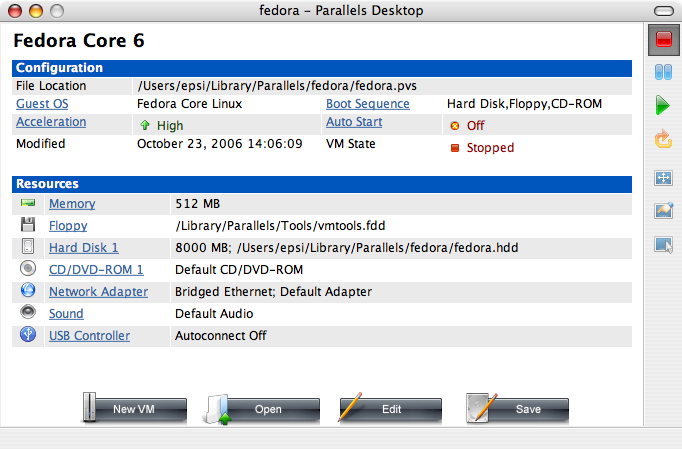
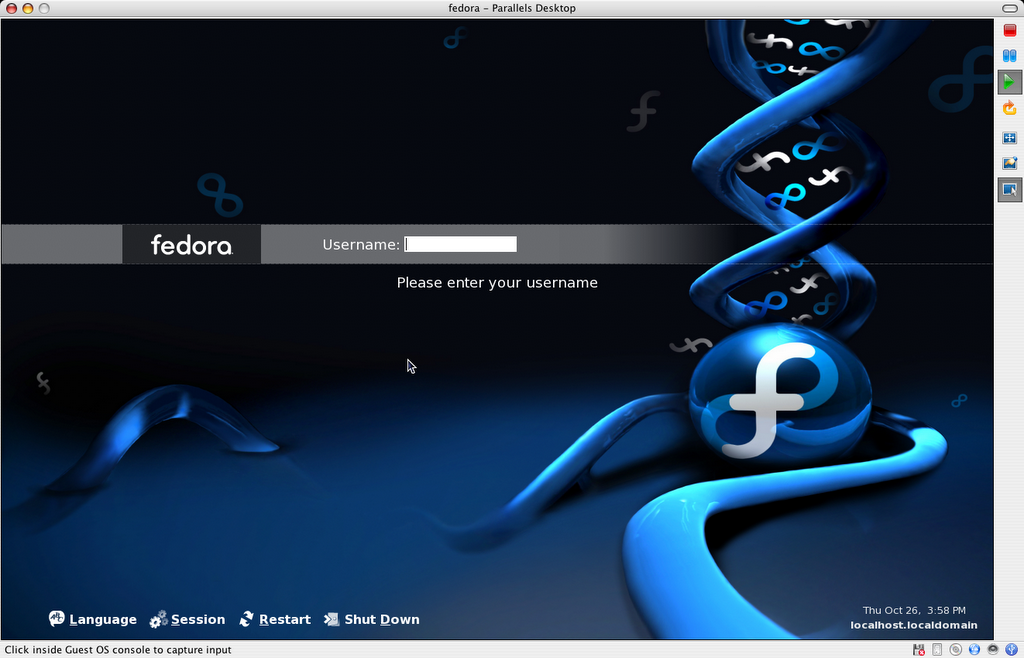
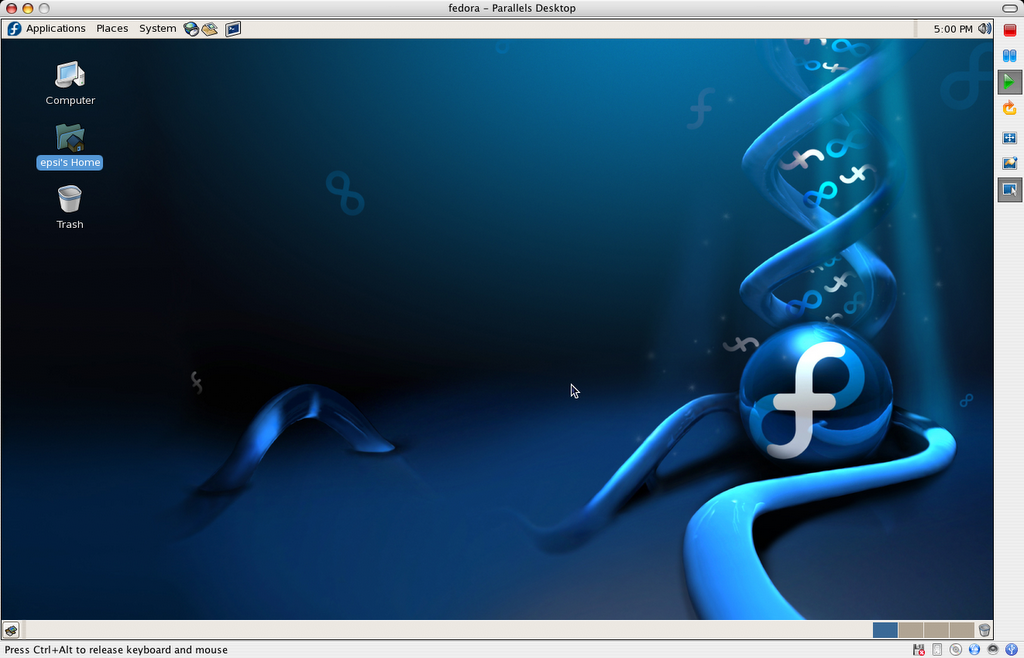
    My first run with the new Core 6 was a clean install on a late 2006 Apple MacBook (2 GHz Intel Core Duo), virtualized through Parallels Desktop.

    Not having had time to keep up with the beta phase this time around, I walked into this one head first with my eyes closed, so I wasn’t expecting the process to be flawless, provided the environment I was facing.

    Because of quasi constant network access and the availability of a very good regional mirror, my preferred way to install or upgrade my Fedora boxen is to proceed with a net install, starting from the minuscule, by today’s standards, provided boot disc (boot.iso).

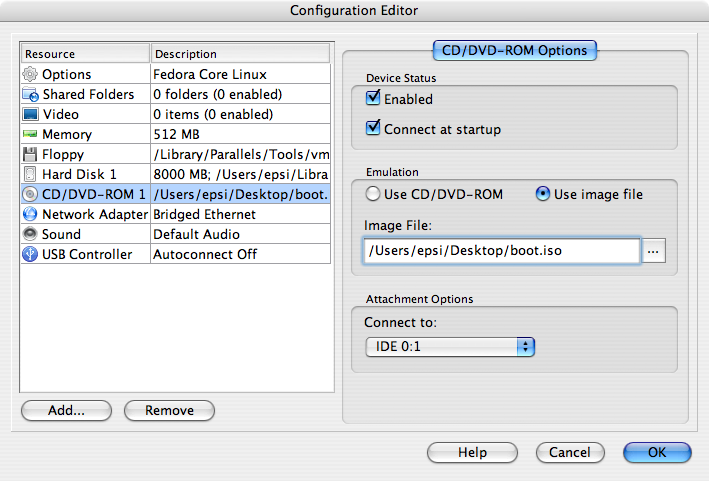
    As an insight, Parallels will let you select the latter ISO disc image to act as your VM‘s CD/DVD drive, so that you can skip burning the boot disc to a removable media.
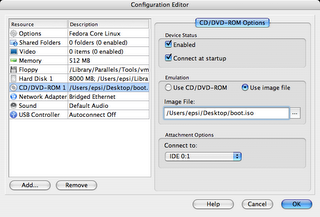
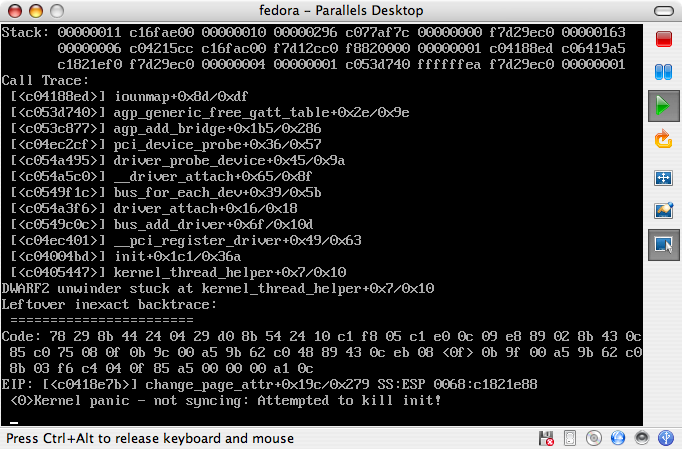
    Launching the installer through a new Parallels VM, I was unfortunately immediately faced with a hurdle. Namely, I was getting what seemed to be a hardware detection related kernel panic at boot time. As it turns out, this was not Fedora specific, but is a known issue with the Parallels Desktop product suite.
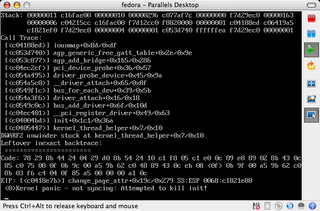
    A few web queries and a friend‘s wisdom quickly netted valuable results from the Parallels support forums technical discussions.

    The problem was easily bypassed by setting the VM’s memory settings to the very specific value of 512 MB of RAM. Good thing my laptop is loaded with 2GB, which I’ll add is highly desirable for virtualization purposes.

    For the record, I noticed that 256 and 924 MB also helped me get passed the early detection bug and into the Anaconda installer process, but only 512 would not revert back to a kernel panic on reboot once the install process was completed.
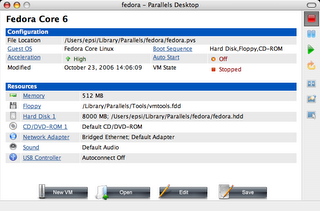
    Since then, someone actually posted a Fedora Core 6 v. Parallels specific thread which you might also want to read through. I haven’t had the chance to implement the proposed solution, and I’ll admit that the lazy geek in me is ushering that 512 MB of RAM will be just fine for what I need to achieve in this instance.

    Once this was all figured out, and I have to state that it was my first GNU/Linux install under Parallels, the install process was as straightforward as any I’ve ever been through (countless native and VMWare Workstation instances).

    Two noteworthy additions to FC6’s Anaconda, from a user’s perspective, are the automatic retrieval of the latest version of the software you are installing, instead of the base version, and the optional selection of the Extras repository directly within the installer.

    Unfortunately, I was not able to configure sound for my MacBook at install time, but I doubt this will be an issue for long, since it uses Intel’s onboard audio and video chipsets, which are well understood and supported by the open source development community.

    Finally, for a last very context specific issue, I faced something that wasn’t a show stopper, but could have left some users perplex. During the installation, which I ran in windowed-mode (ie: not full screen), I continued to interact with OS X (browsing, etc), and therefore brought the mouse focus back to the host OS. But once the install procedure was complete within the VM, I was unable to focus the cursor back into Fedora to agree to the system reboot prompt. Again, I did not deem this to be more than an annoyance, because the point was to restart and I was able to do so via the VM console’s reboot button, but this hiccup could have been more serious if Fedora had required further user input.

    So on I went with the first boot, and the kernel and all of the desired daemons loaded without a hitch. I had chosen to go with a base install, to initially save time, which of course means that your mileage may vary, should you decide on a larger software selection. Historically though, it seems that most post-install boot related errors occur with the base system, more than the higher level add-ons, unless you chose to add core modules or such deep components through the Extras repository.

    All went pretty much flawlessly from then on. Close to what I would expect running Fedora through dual-booting my Mac instead, which I’m sure has its own share of nitty gritty details.
    One slight disappointment at this time is that despite the long list of guest OSes that Parallels Desktop for Mac supports, they do not provide a Linux version of their Parallels Tools, which help deliver customized hardware drivers to the virtualized operating system. I somehow find this puzzling, given that the documentation lists the now obsolete OS2 as being an option for these useful, but non mandatory, utilities. But I guess a dead OS is an easy one to support. 🙂

    So to conclude, I won’t bore you with a deeper usability and performance review of this proud and shiny new piece of OSS engineering, since you can find much more elaborate ones all over the Net (1, 2) but I’ll soon post about my further toying with Fedora through a native FC5 to FC6 upgrade on x86 architecture with my home file/media/LAMP server.

    And if you never dared taking the GNU/Linux plunge, now might just be the time, although you might also want to wait to hear about Edgy, the soon to be realeased next generation Ubuntu offering, which also promises to be a quality product.

    Update 1: fixed a typo that led a funny comment on osnews.com. I also tried to address the OS2 part of the latter comment in a related comment below.

    Update 2: I now have a similar virtual machine image for download, as well as a complete install screencast.
  • First post

    Well, I’ll stick with tradition for my first post, and go for the classic Hello World!

    I dropped off the blogosphere a couple of years ago because my custom-built solution bogged down when I had to quickly move away from a bankrupt web host to a new provider. Family life and professional commitments taking priority over my toy projects, I never really had a chance to pick up where I had left.

    But thanks to new features my team and I are looking forward to implement in the CMS we develop and run for McGill University, I’m now provided with the opportunity to do so with a hint of productivity in mind. Let’s call it, uh… research! Yeah, that’s it, research! 😉

    So there you have it, let’s roll. But please bare with me, as I’m just starting to get cozy in Blogger’s cribs.